How to make a Window Peeper video
Last updated:
To make a Window Peeper video without CapCut, upload one suitable photo to Window Peeper, confirm permission, pay for one video and download the MP4 when it is ready. No account or CapCut template is required. Your photo is the opening frame; AI adds motion, so the scene and ending can vary.
Reviewed example: first frame and finished video
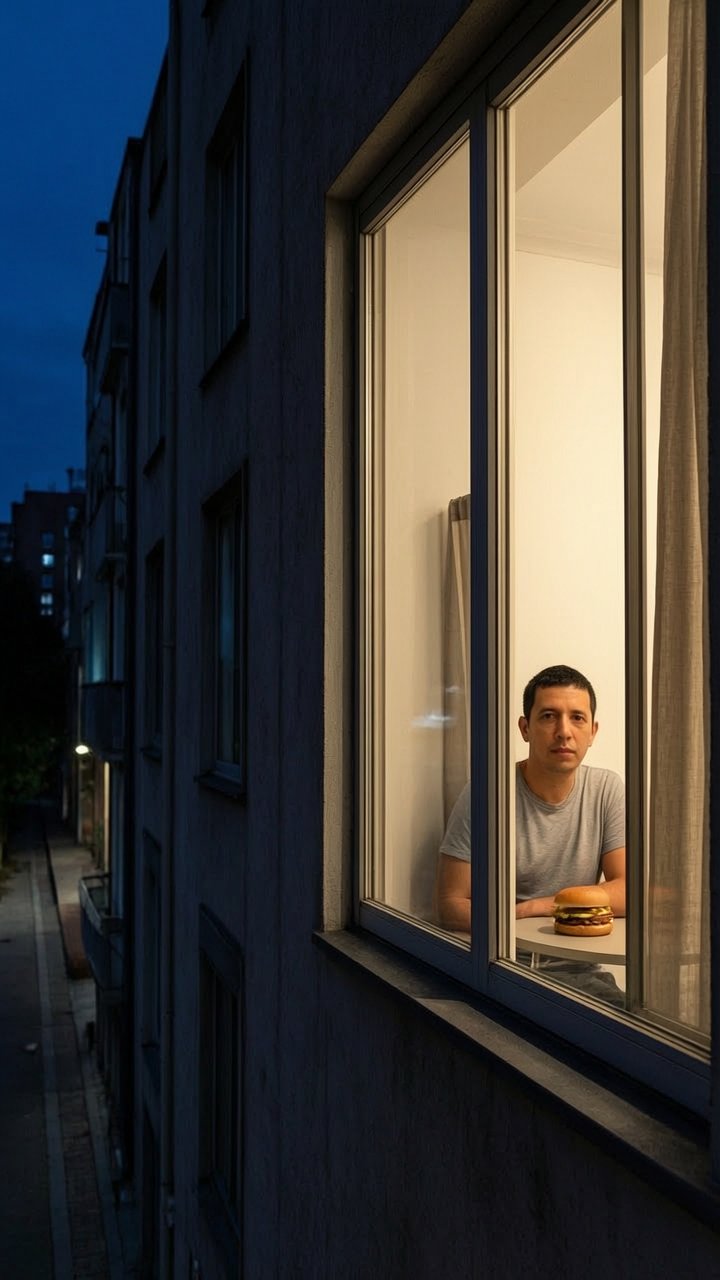
Reviewed on October 24, 2026. The video file measures 720 × 1280 pixels (9:16), with a 10.000-second H.264 video stream and AAC audio. The MP4 container lasts about 10.031 seconds because of the audio track.
In this example, the view starts outside a lit apartment window at night. A person sits at a table with a burger, eats, looks toward the viewer, stands up and draws the curtain across the window. The curtain covers the view near the end. Play the clip to judge the timing yourself.
The still shown here was extracted from the finished clip. The original upload is not retained with this example, so this is not an input/output comparison and does not demonstrate how faithfully a new portrait will be preserved.
This is one preserved result, not a success-rate or rendering-speed test. Other photos can produce different framing, faces, hands, audio and endings. A complete curtain-closing sequence is not guaranteed.
1. Choose a scene, not only a face
Use a clear photo of one adult with permission. Keep the face visible and leave room around the upper body. A table, a window and curtains can help explain the scene without needing the model to invent them.
For a vertical post, prepare a 9:16 image before uploading. Output shape follows the source image. A tight face crop is not a reliable way to ask for a wide room, and a square photo is not guaranteed to become vertical.
2. Upload and check the composition
Upload a JPG, PNG or WebP up to 10 MB. No sign-up is needed. Check that the picture is upright and that important details are not cut off. Do not include captions, watermarks or other marks you do not want in the video; marks in the starting image can carry through.
The generator uses a prepared scene direction. There is no prompt field, background uploader or soundtrack selector in this workflow.
3. Pay for one video
One order costs $9.90 (720p) for 10 seconds at 720p. Check the amount and any tax at checkout before you pay.
Your order is linked to your photo. Save the order page and keep using the same browser. Payment does not guarantee perfect likeness or a complete ending.
4. Follow the order status
Permission is confirmed before checkout. Generation starts automatically once payment is confirmed. Render time depends on the model and queue; a fixed completion time is not guaranteed. Return to the saved order page in the same browser to follow its status.
Do not pay again while the order is processing. A new video needs a new order; a failed generation can be retried from its original order while the linked photo is still available.
5. Review the MP4 before sharing
Look for face changes, extra fingers, abrupt camera changes or curtains that do not move naturally. Listen to any generated audio. Download a result you want to keep before its displayed expiry date.
You can trim the result or add licensed audio in a separate editor. Keep the AI disclosure when you share. If generation fails, retry the same order without another payment; for a clearly broken finished file, contact support with the order and video IDs.
Try your own Window Peeper moment
Create my video